
此小部件允许使用Bokeh库显示图表。

项目描述





此模块添加了将Bokeh图表插入Odoo标准视图的可能性。
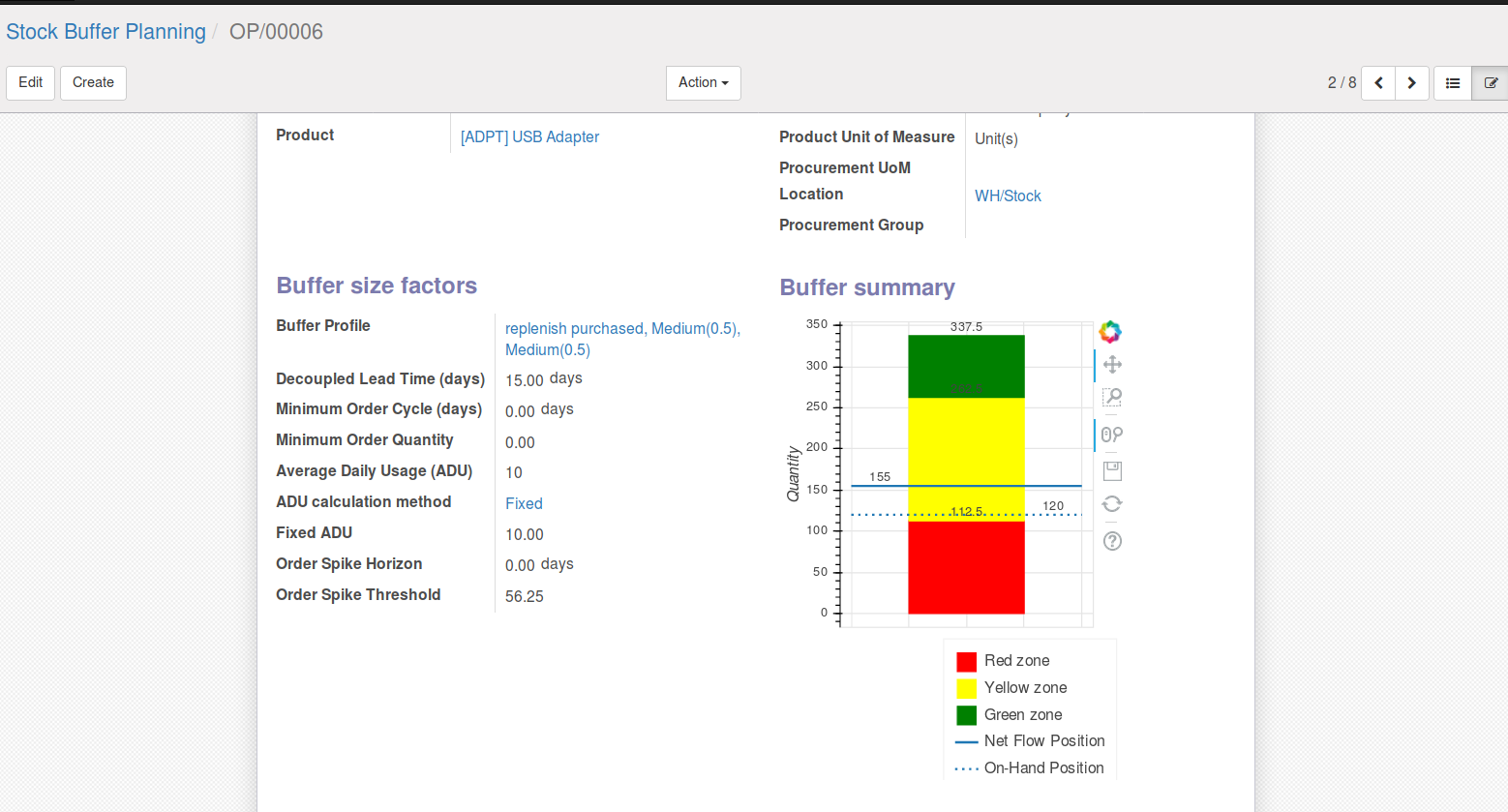
Bokeh是一个针对现代网络浏览器进行演示的Python交互式可视化库。它的目标是提供优雅、简洁的基本探索性和高级自定义图形构建,类似于D3.js,同时也通过高性能交互性在非常大的或流式数据集上提供此功能。Bokeh可以帮助任何想快速轻松创建交互式图形、仪表板和数据应用的人。
如果您想查看Bokeh功能的示例,请点击以下链接。
目录
安装
您需要安装python bokeh库
pip3 install bokeh==3.1.1
用法
要将Bokeh图表插入视图,请按以下步骤操作
使用Char字段
声明一个文本计算字段如下
bokeh_chart = fields.Text(
    string='Bokeh Chart',
    compute='_compute_bokeh_chart',
)
在模块顶部添加以下导入
from bokeh.plotting import figure
from bokeh.embed import components
import json
在其计算方法中做
def _compute_bokeh_chart(self):
    for rec in self:
        # Design your bokeh figure:
        p = figure()
        line = p.line([0, 2], [1, 8], line_width=5)
        # (...)
        # fill the record field with both markup and the script of a chart.
        script, div = components(p, wrap_script=False)
        rec.bokeh_chart = json.dumps({"div": div, "script": script})
在视图中,在您想要显示Bokeh图表的任何地方添加以下内容
<div>
    <field name="bokeh_chart" widget="bokeh_chart" nolabel="1"/>
</div>
使用Json字段
声明一个json计算字段如下
bokeh_chart = fields.Json(
    string='Bokeh Chart',
    compute='_compute_bokeh_chart',
)
在模块顶部添加以下导入
from bokeh.plotting import figure
from bokeh.embed import components
在其计算方法中做
def _compute_bokeh_chart(self):
    for rec in self:
        # Design your bokeh figure:
        p = figure()
        line = p.line([0, 2], [1, 8], line_width=5)
        # (...)
        # fill the record field with both markup and the script of a chart.
        script, div = components(p, wrap_script=False)
        rec.bokeh_chart = {"div": div, "script": script}
在视图中,在您想要显示Bokeh图表的任何地方添加以下内容
<div>
    <field name="bokeh_chart" widget="bokeh_chart_json
已知问题/路线图
在17版本中,我们可以移除char字段,只使用Json字段
错误追踪器
错误在 GitHub Issues 上跟踪。如有问题,请检查是否已报告您的问题。如果您是第一个发现它的,请提供详细的欢迎反馈,帮助我们解决问题。
请不要直接联系贡献者以获取支持或技术问题的帮助。
致谢
贡献者
Jordi Ballester Alomar <jordi.ballester@forgeflow.com>
Lois Rilo Antelo <lois.rilo@forgeflow.com>
Artem Kostyuk <a.kostyuk@mobilunity.com>
Christopher Ormaza <chris.ormaza@forgeflow.com>
Enric Tobella <etobella@creublanca.es>
Oriol Miranda Garrido <oriol.miranda@forgeflow.com>
Bernat Puig Font <bernat.puig@forgeflow.com>
其他致谢
本模块使用Bokeh库,该库受开源BSD 3-clause “New”或“Revised”许可证的约束。版权所有(c)2012,Anaconda,Inc。
Odoo社区协会(OCA)
维护者
本模块由OCA维护。

OCA或Odoo社区协会是一个非营利组织,其使命是支持Odoo功能的协作开发并推广其广泛应用。
当前维护者


本模块是GitHub上OCA/web项目的一部分。
欢迎您贡献力量。有关如何贡献的更多信息,请访问https://odoo-community.org/page/Contribute。


odoo_addon_web_widget_bokeh_chart-17.0.1.0.0.2-py3-none-any.whl的哈希值
| 算法 | 哈希摘要 | |
|---|---|---|
| SHA256 | 0772eb5bbbc6abcd2a7437f0b5a93aaa951403de26e034fc95884fb15f60eac9 |
|
| MD5 | 729a5ef7328e2131e6f7d29e69d0d248 |
|
| BLAKE2b-256 | 8fb2ac24418944e14233915e9841898f4d53acb139f4cd30ce080001b289099e |







